Secrets AI Video Generator: How It Works, Quality, and Cost
Video generation from AI companion images is genuinely rare at this price point — most competing platforms simply don't offer it. Secrets AI built this capability into the platform as a core feature, not an afterthought, and it shows in the implementation. Reviewers rate the output at 4.1 out of 5: clips look realistic, movement is smooth, and expressions track naturally. The catch is Moments cost — a single full-length clip can consume 600 Moments, making video the most expensive feature in the Secrets AI ecosystem. This guide covers how it works, what you can actually afford at each tier, and tips for getting the best output.
For pricing and Moments math across all features, see the pricing plans. For a broader platform overview, check the full review.
What Is the Secrets AI Video Generator?
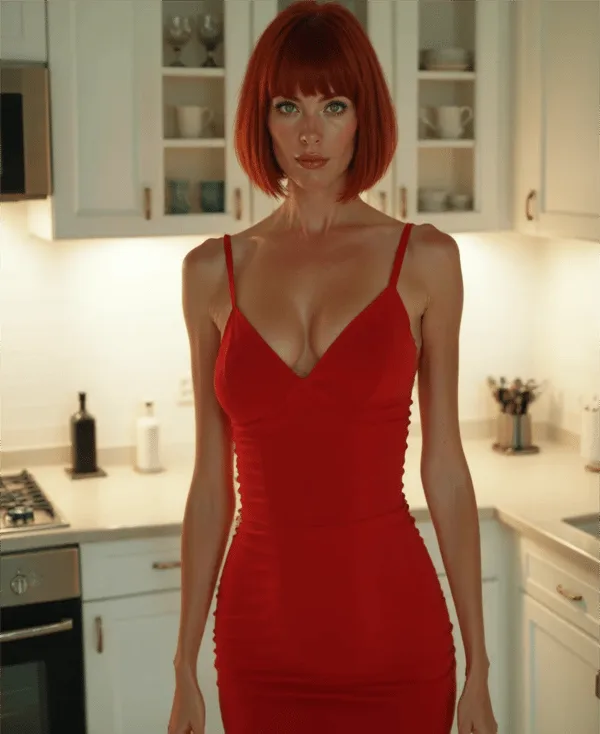
The video generator converts still AI companion images into short animated video clips. You start with an existing companion image, add a text prompt describing the desired movement or action, and the platform renders a clip showing your companion in motion.
This capability sets Secrets AI apart in a meaningful way. The AI companion category is crowded, but video generation remains a feature most competitors haven't built:
- Character.AI — no video generation
- CrushOn AI — no video generation
- Janitor AI — no video generation
- Candy AI — limited video only
Secrets AI's implementation is more developed than Candy AI's limited offering and is the most accessible video generation in the AI girlfriend category at this price point. The closest functional competitors are SweetDream AI and Xotic AI (which offers 4K 15-second clips), but both occupy different market segments.
Video generation is available from the Lite tier ($5.99/month) and above. Free users cannot access it. This is a deliberate tier gate — the Moments cost structure makes free-tier video unsustainable from the platform's economics.
How Video Generation Works
The process is four steps and typically completes in about 2 minutes:
Step 1: Generate or select an existing companion image from your character's gallery. Video quality is directly tied to source image quality — a high-quality, well-posed image produces better motion output than a rushed or awkward one.
Step 2: Add a text prompt describing the desired movement, action, or emotional expression. Prompts can be simple ("walking slowly and smiling") or more descriptive ("reaching out toward the camera with a soft expression"). Specificity helps but overly complex prompts can confuse the generation engine.
Step 3: Submit the generation request. The platform queues and processes the video — typical wait time is approximately 2 minutes, though peak-hour server load can extend this to 3-4 minutes.
Step 4: Review the completed clip. If the output doesn't match your vision, you can regenerate with a revised prompt — though each attempt costs Moments.
Videos are context-aware: the clip reflects the character's established appearance and the emotional tone of your recent conversation scenario, not just the isolated prompt.
Video Quality Assessment
Secrets AI's video generation earns a 4.1 out of 5 from independent reviewers — which is a solid score for AI-generated companion video at this stage of the technology.
What works well:
- Realistic character movement and natural motion physics
- Facial expressions track appropriately to the prompt's emotional direction
- Lighting and skin texture consistency with the source image
- Smooth motion in simple scenarios (walking, gesturing, turning)
Where quality varies:
- Complex multi-step actions can produce awkward mid-motion artifacts
- Very detailed prompts sometimes result in only partial execution
- Occasional quality variations between generations of the same prompt
- The Advanced generation model (available on Premium and Ultimate) noticeably outperforms the standard model on complex scenarios
Compared to the state of AI video generation broadly, Secrets AI's implementation is competent — not leading-edge cinema quality, but convincing enough for companion use cases. Users expecting photorealistic broadcast-quality output will be disappointed. Users expecting natural-looking companion clips that enhance the relationship experience will be satisfied.
How Much Do Videos Cost in Moments?
Cost varies by clip length and generation model:
| Clip Type | Moments Cost |
|---|---|
| Short clip (3 seconds) | ~50 Moments |
| Standard clip (longer) | ~600 Moments |
That's a significant range — the difference between a quick test clip and a full production clip is 12x. Budget accordingly.
What Each Tier's Moments Actually Allow for Video
| Tier | Monthly Moments | Short Clips (50 ea.) | Full Clips (600 ea.) | Mixed Realistic |
|---|---|---|---|---|
| Lite | 1,000 | ~20 | ~1-2 | 3-5 clips + some images |
| Plus | 3,000 | ~60 | ~5 | 5-10 clips + regular images |
| Premium | 8,000 | ~160 | ~13 | 10-20 clips + heavy image use |
| Ultimate | 15,000 | ~300 | ~25 | 20-40 clips + extensive media |
Key insight for heavy video users: If video generation is your primary use case, Ultimate ($39.99/month) is the only tier where extensive video creation remains financially sustainable without constant top-ups. Premium at $19.99/month is a reasonable middle ground for moderate video use alongside regular images and conversation.
Top-Up Economics
If you run through your monthly Moments grant before the billing cycle resets, top-up bundles are available starting at $5.99 for 1,980 Moments. At that rate, 1,980 Moments covers approximately 3 full-length video clips — a manageable supplemental purchase if you've had a particularly video-heavy month.
Premium subscribers get a 10% bonus on Moments purchases; Ultimate subscribers get 15% — which reduces the effective per-clip cost slightly for heavy users.
Video vs Images vs Voice — Cost Comparison
For the same 600 Moments, you can generate:
| Option | What 600 Moments Buys |
|---|---|
| Video (full clip) | 1 clip |
| Images | 12-24 images |
| Voice calls | 6 minutes |
| Text messages | 300-600 messages |
Video is unambiguously the most Moments-intensive feature on the platform. A single extended session with 2-3 full-length video clips can consume 1,200-1,800 Moments — nearly half a Plus allocation in one sitting.
The practical decision: if you value video specifically, treat it as a premium experience and budget for it. If you want regular media alongside chat, images offer dramatically better Moments efficiency for comparable visual engagement.
Tips for Better Video Results
Five techniques from extended platform testing:
Use high-quality source images. The video generator works from a still companion image. Images generated with the Advanced model (Premium and above) and careful prompting produce significantly better video output than quick-generated standard images. Invest in good source material before converting to video.
Keep motion prompts specific but not overcrowded. "Slowly turning to face camera with a smile" generates better output than "walking across the room, picking up a coffee cup, sitting down, looking at the camera, and waving." One clear action performs better than a multi-step sequence.
Test short clips before committing to long ones. At ~50 Moments for a 3-second clip versus ~600 for a full clip, testing a motion concept with a short clip first is a 12x cheaper way to evaluate whether the output matches your vision.
Use Premium generation models for important clips. The Advanced model produces noticeably better results in complex motion scenarios. For clips you want to keep, the model upgrade is worth the tier requirement.
Generate images specifically for video conversion. Prompting for images with video in mind — clear lighting, forward-facing poses, natural expressions — produces better source material than using casual-generation images as video inputs.
Who Should Use the Video Generator?
Worth prioritizing if:
- Visual companion content is a key part of how you engage with the platform
- You want unique personalized media from your AI companion
- You're on Premium or Ultimate and have Moments to allocate
- You enjoy collecting or sharing companion content
Not worth prioritizing if:
- You're primarily a text-focused user
- You're on a tight Moments budget and need to stretch your monthly allocation
- You're on the free tier (not available anyway)
- You're on Lite and primarily want images — the Moments are better used on images at that tier
Best tier for video:
- Casual video users: Plus ($9.99/month) — 3,000 Moments supports 5 full clips per month
- Moderate video users: Premium ($19.99/month) — 8,000 Moments supports 10-13 full clips with room for other media
- Heavy video creators: Ultimate ($39.99/month) — 15,000 Moments plus 15% top-up bonus is the only tier where extensive video remains cost-effective
Competitors with Video Generation
The AI companion market in 2026 offers very few options for video generation:
- Character.AI — no video
- CrushOn AI — no video
- Janitor AI — no video
- Candy AI — limited video (less developed than Secrets AI)
- Replika — no video generation
- SweetDream AI — video available (comparable feature set, different platform)
- Xotic AI — 4K 15-second clips (higher quality ceiling, different price structure)
If video generation from a personalized AI companion is a meaningful feature for you, Secrets AI is the most accessible implementation at this price tier. The feature genuinely differentiates the platform in a category where most competitors compete on chat quality, image output, or pricing structure alone.
FAQ
Videos vary in length depending on the type of clip generated. Short clips are approximately 3 seconds and cost around 50 Moments each. Longer standard clips (the full video generation option) can be significantly longer and cost up to approximately 600 Moments per clip. Lite-tier subscribers can access 3-second clips only; Plus and above unlock the full video generation range. The platform doesn't publish a specific maximum clip duration — length varies based on prompt complexity and the generation model used.
No. Video generation requires at minimum the Lite plan ($5.99/month). It is not available on the free tier regardless of Moments balance. The free tier's 200 starting Moments technically could cover short clips in theory, but the feature itself is gated at Lite tier access level. If you want to test video generation without committing to a long-term subscription, the Lite monthly plan at $5.99 is the lowest-cost entry point.
It depends on your tier and the length of clips you generate. On Premium (8,000 Moments/month): approximately 13 full-length clips (at 600 Moments each), or approximately 160 short 3-second clips (at 50 Moments each). In practice, most users generate a mix of clip lengths alongside images and chat — a realistic estimate for Premium is 10-15 full clips per month when balanced against other Moments usage. Ultimate (15,000 Moments/month) extends this to approximately 25 full clips in a Moments-optimized usage pattern.
Video quality is rated 4.1 out of 5 by independent reviewers. Clips show realistic character movement and expressions for most prompt types — natural motion in common scenarios like walking, gesturing, and turning to camera. More complex multi-step sequences can produce quality inconsistencies. The Advanced generation model (available on Premium and Ultimate) produces noticeably better results than the standard model, particularly for complex motion prompts. For companion use cases, the quality is convincing; for users expecting broadcast-grade AI video, the output will feel preliminary.